Prop Firm Guides · Jun 11, 2026 · 5 min read
How to Pass the FTMO Challenge: Rules, Drawdown, and EA Setup
TradinSolutions
Trading Automation Platform
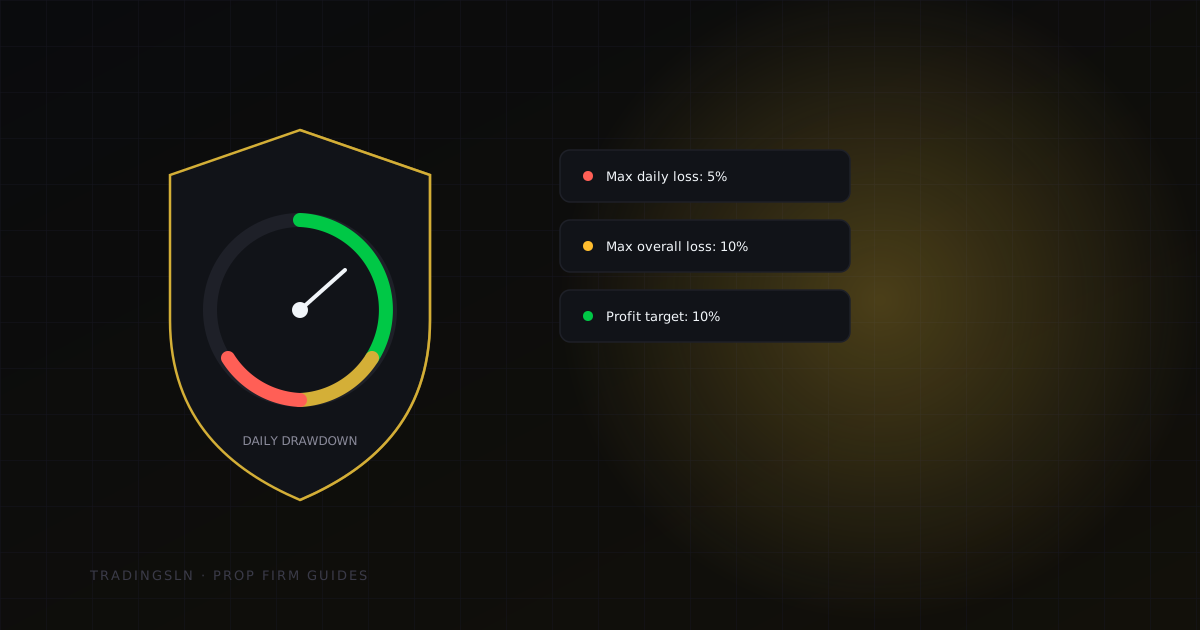
The FTMO challenge is not testing your strategy. It is testing your ability to follow rules under pressure. Most traders who fail do not blow out on a single trade — they die by a thousand small violations. An EA removes the emotional variable entirely.
Understanding the Four Rules
Before configuring anything, you need to understand what FTMO is actually measuring.
Max daily loss: 5% applies from your start-of-day balance, not your current equity. If you start the day at $100,000 and make $2,000, your loss limit for the rest of that day is still $5,000 from $100,000 — not $5,000 from $102,000. This catches traders off guard constantly.
Max overall loss: 10% is a hard floor below your starting balance. Drop below $90,000 on a $100,000 account and the challenge ends immediately. There is no grace window.
Minimum trading days: 4 means you must have opened and closed at least one trade on four separate calendar days. EAs handle this automatically if you run them during session hours across multiple days.
Profit target: 10% for Phase 1, 5% for Phase 2. These are minimum targets — there is no rush to hit them fast. Consistent wins over multiple days is better than a big week followed by a pullback.
Configuring Your EA for FTMO
WARNING
Never run an untested EA on a live challenge account. Forward test on a demo account with identical FTMO-style rules for at least two weeks first.
The three things your EA must handle automatically:
- 1Daily loss enforcement — the EA should calculate the day's starting balance at midnight and halt all new entries if unrealised + realised losses approach 4.5% (a 0.5% safety buffer below the limit).
- 2News filter — FTMO prohibits trading during high-impact news within a specified window (typically 2 minutes before and after). Your EA must check an economic calendar or use a built-in news filter.
- 3Drawdown trail — as your account balance grows, your hard floor stays at 10% below the original starting balance, but some traders also want to protect running profits. The EA should have a configurable trailing drawdown lock.
// AutoPilot FTMO settings (EA input parameters)
MaxDailyLossPercent    = 4.5   // leave 0.5% buffer
MaxOverallLossPercent  = 9.5   // leave 0.5% buffer
NewsFilterMinsBefore   = 2
NewsFilterMinsAfter    = 2
MinTradingDays         = 4
ProfitTargetPercent    = 10.0  // Phase 1
DisableOnTargetHit     = false // Keep trading — just stop risking target
The Three Most Common Failure Modes
Failure 1: Forgetting the daily loss is balance-based
You enter three trades in the morning session. Two win, one loses $3,000. Your equity is now up $1,500 net. You feel safe. But your balance-based daily loss calculation is only tracking the $3,000 loss — not the gains. If you lose another $2,200 in the afternoon, you have hit $5,200 in daily losses and the challenge is over, even though you are still net positive on the day.
Fix: Set your EA's daily loss calculation to track gross losses, not net P&L.
Failure 2: Trading through news without a filter
FTMO does not care why the market moved. If your EA had an open position during a high-impact news event, that is a violation. A single unfiltered trade during NFP or FOMC can end a challenge that was otherwise on track.
Fix: Use the built-in news filter or subscribe to an economic calendar API.
Failure 3: Taking too long on Phase 2
Phase 2 has no time limit, but extended challenge periods increase exposure to unexpected drawdown events. Traders who take 45+ days on Phase 2 often underperform simply because they have more market exposure.
Fix: Target 5-8 trading days for Phase 2. Hit the target, stop trading.
Why the AutoPilot Copier Passes Consistently
The AutoPilot MT5 Trade Copier includes prop-firm mode out of the box. When enabled, it:
- Monitors balance-based daily loss in real time and disables the slave terminal when the threshold is approached
- Blocks copying during the news window automatically
- Sends an alert to your MT5 terminal when within 1% of any limit
- Resets the daily counter at the broker's server midnight, not your local midnight
This is the difference between manually babysitting risk numbers all day and running a clean, compliant challenge.
TIP
After passing, run the exact same EA settings on your funded account. FTMO's funded account rules are identical to Phase 2. Do not change what worked.
Key takeaways
- Daily loss is almost always balance-based, not net P&L — a profitable day can still end in termination if gross losses on one trade exceed the limit.
- The three failure modes above account for most FTMO terminations: balance-vs-net confusion, unfiltered news trading, and dragging out Phase 2 longer than necessary.
- Whatever settings pass the challenge are the same settings to keep running on the funded account — FTMO's funded-account rules mirror Phase 2 exactly.
FAQ
Does the daily loss limit reset if I make the money back later the same day? No — it's calculated from your start-of-day balance and tracks gross losses, not your net position. A trade that loses $5,200 breaches a $5,000 limit even if you were up $3,000 earlier that day.
Can I trade through news if my stop loss is far enough away that it won't be hit? No — FTMO's news restriction is about having a position open during the window at all, not about whether that position gets stopped out. An open trade during a blocked news event is a violation regardless of outcome.
Is it better to pass Phase 2 quickly or take the full time allowed? Quickly, within reason. Phase 2 has no time limit, but more trading days mean more exposure to an unexpected drawdown event — 5-8 trading days is a reasonable target once you've hit the profit goal.
Related posts
Copier Automation
Master-Slave Copying Explained: The Failure Modes Every Multi-Account Trader Should Know
Trading Education
What Should Never Be Automated: The Boundaries Between a Trading System and a Trading Decision
Platform Tutorials